
Install the extension
Add Aurora Tube to Google Chrome and sign in with your Google account to activate your plan.
Aurora Tube is the download manager and creator workspace for Chrome. When you download a file in Chrome, such as a zip, an installer, a PDF, an ISO or a video, the Aurora Tube Helper app for Windows takes it over. It downloads the file over parallel connections, lets you pause and resume, and keeps every download in one list.
Free plan: unlimited file downloads with pause and resume, plus 10 video or audio saves a day. Aurora Pro: accelerated 8-connection downloads and unlimited saves, from $4.99 a month.
Illustration. Real speed depends on the server and your connection.
You click a download link in Chrome, or press Download on a video page.
The Helper splits the file into segments: 8 connections with Aurora Pro, 2 on Free.
Segments download at the same time and are rebalanced as parts finish.
Pause and continue later. After a dropped connection, resume instead of starting again.
The file lands in your Downloads folder and in the Download Manager list.
Keep downloading in Chrome the way you always do. Aurora Tube takes over the download, speeds it up where the server allows, and keeps track of it for you.
Zip archives, installers, PDFs, ISO images, videos and more: when you download a file in Chrome, the Aurora Tube Helper handles it.
The file is split into segments that download at the same time (8 connections per file with Aurora Pro, 2 on Free), and segments are rebalanced as parts finish. This helps on servers that limit speed per connection.
Pause a download and continue it later. If the connection drops or a download fails, resume it instead of starting again.
Every download in one list with its history, progress and status, plus Open file and Open folder buttons.
Finished files go straight to your Windows Downloads folder, the same place you already look for them.
"Download every file with Aurora" in Settings decides whether Aurora Tube or Chrome handles your downloads. Change it any time.
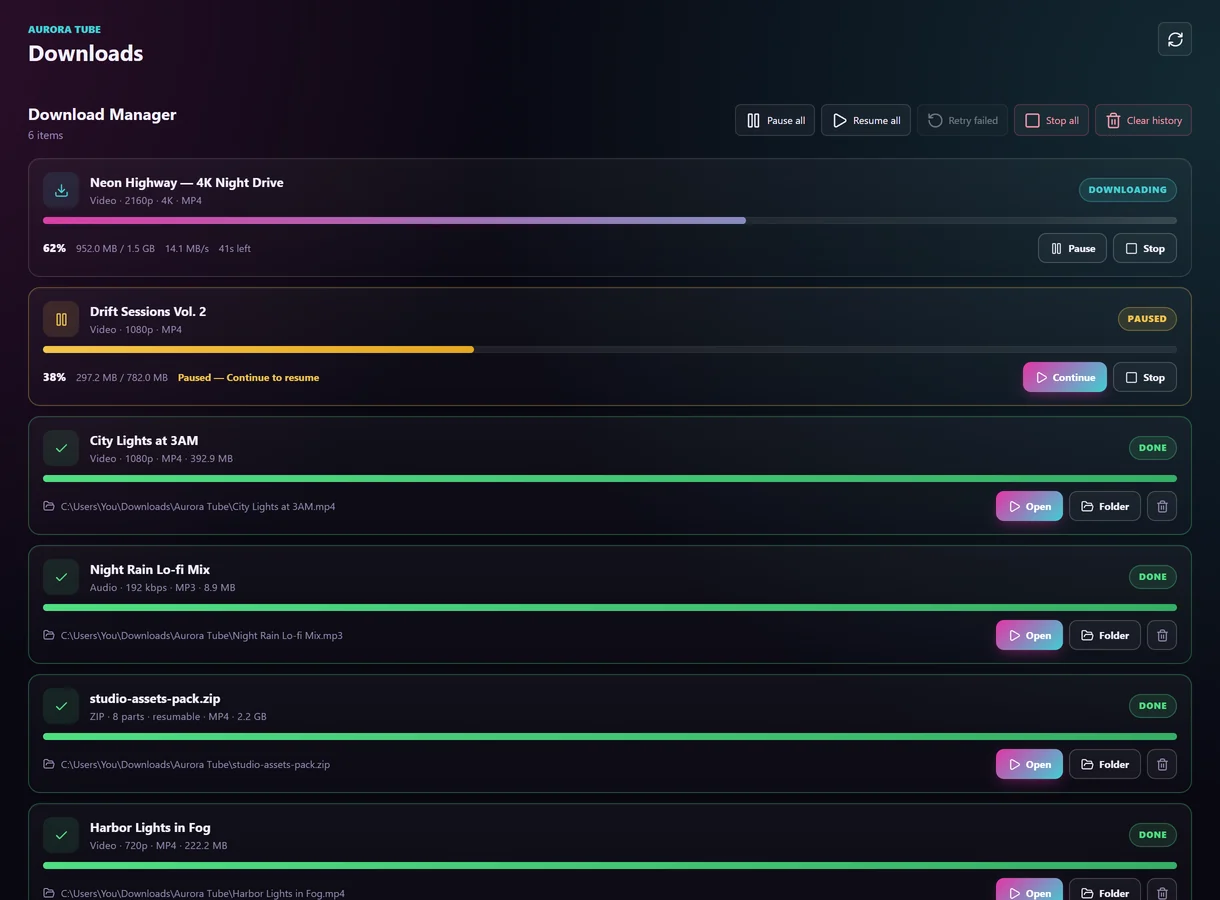
Many servers limit the speed of each single connection. More connections help on those servers.
The real gain depends on the server and your internet connection; if a server allows only one connection, the speed is about the same as in Chrome.
Follow the creators you study, capture what matters and keep your notes next to the video.
Save channels and creators into a workspace, sort them into categories and see their new videos automatically.
Watch without distractions in Focus mode, or keep a video in a small player while you work.
Capture a frame or screenshot, take batch screenshots across a video, or save a short clip.
Bookmark exact moments with timestamps and write notes, so you can jump back to what mattered.
Find the files you have saved in a simple library that stays on your own device.
Optionally back up your workspace to your own Google Drive, OneDrive or Dropbox. We keep no copy.

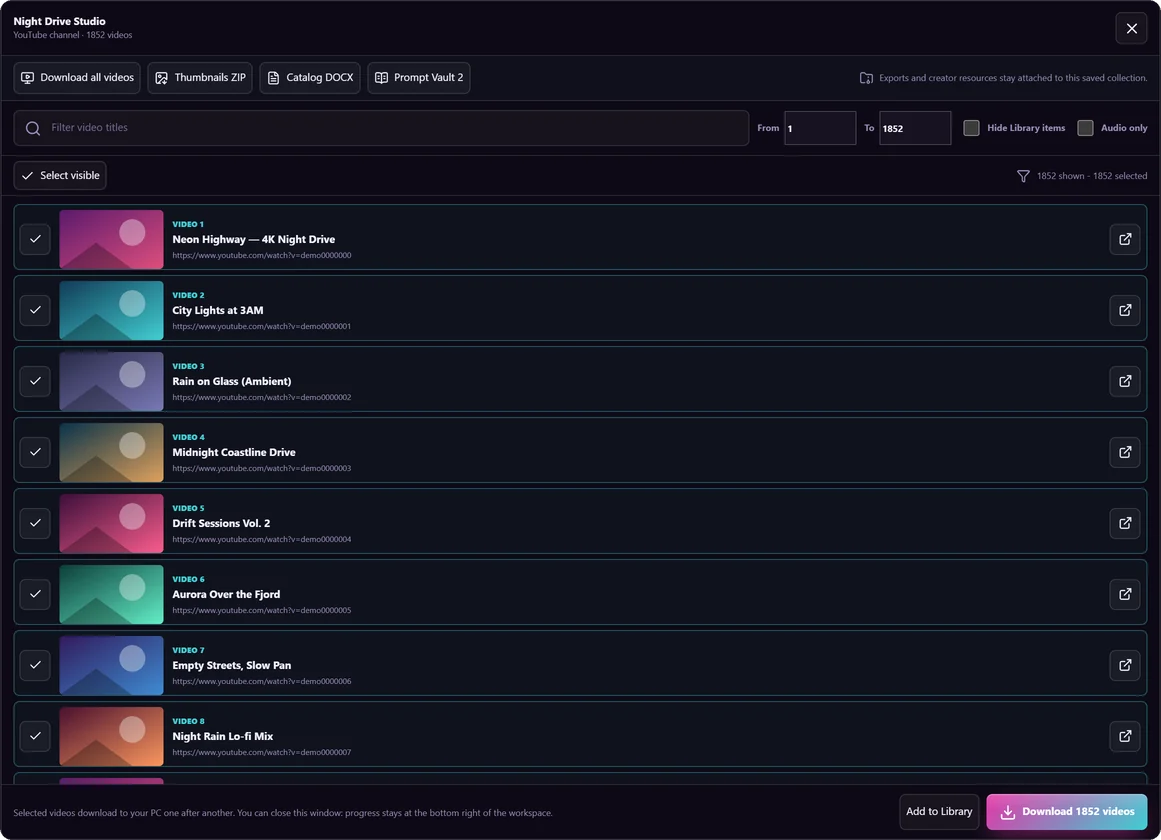
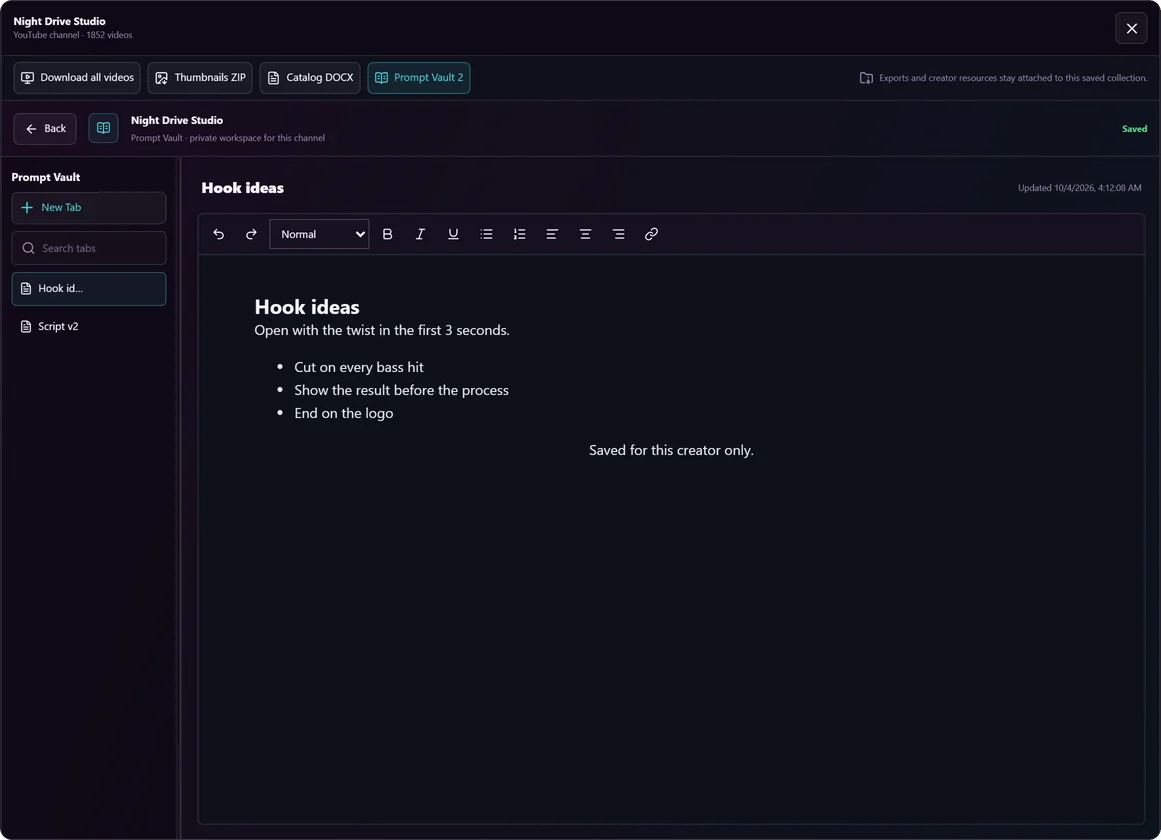
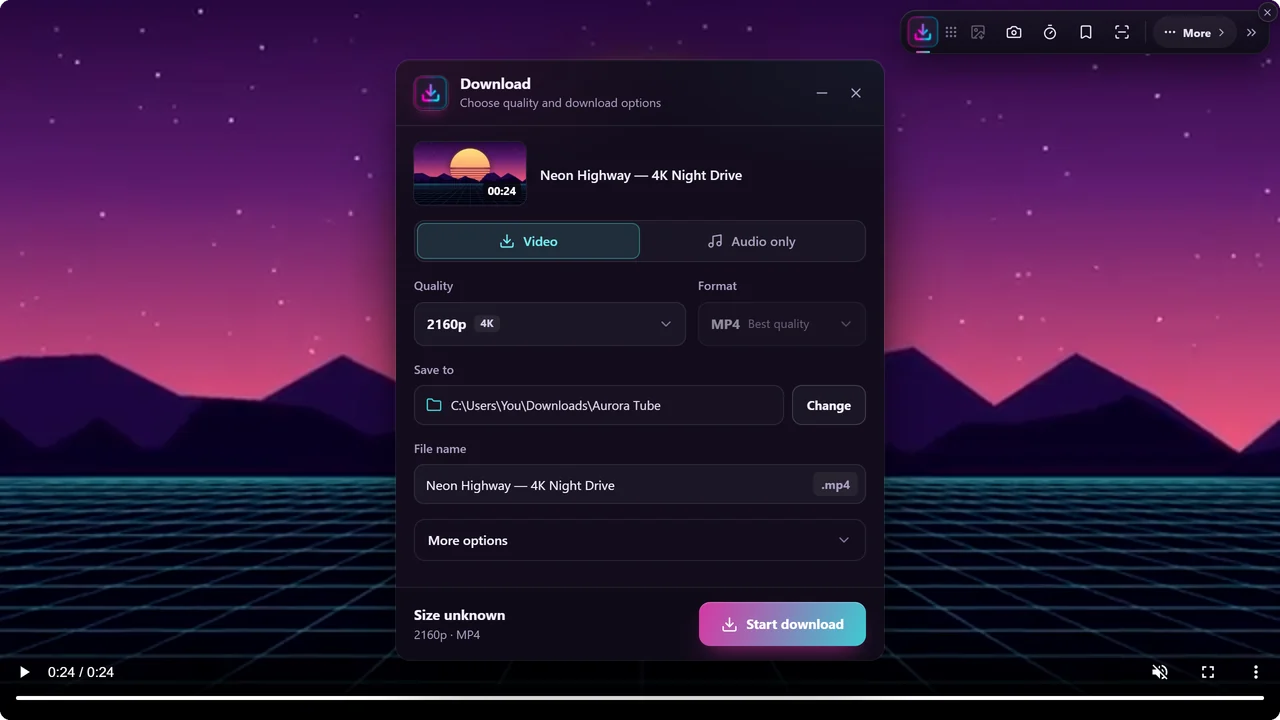
On public video pages, Aurora Tube can save a video as MP4 or its audio as MP3 to your PC, in the quality you choose. With Aurora Pro you can also bulk download a whole channel, playlist or profile that you have permission to use. It works on these sites and many other video sites:

Websites change often, so support for a particular site can change. Platform names are trademarks of their owners. Aurora Tube is not affiliated with or endorsed by any of them.
The extension sees the downloads you start in Chrome and the videos on the page you are viewing. The Helper app on your PC does the actual downloading and saves the files.
Add Aurora Tube to Google Chrome and sign in with your Google account to activate your plan.
The extension guides you through installing Aurora Tube Helper, a small app for Windows that downloads and saves files on your PC.
Click any download link in Chrome, or press Download on a video page. Aurora Tube takes it from there and shows it in the Download Manager.
Aurora Tube is a tool. You decide what to download, and you are responsible for having the right to do so. Read the full rules in our Terms of Service.
The Free plan includes unlimited file downloads at standard speed (2 connections per file, with pause and resume), 10 video or audio saves a day up to 720p, a bulk preview of 5 videos and the core workspace tools. Aurora Pro adds accelerated downloads over 8 connections, unlimited video and audio saves in every quality, full bulk downloads, batch capture and priority updates: $4.99 a month, $11.99 every 3 months or $24.99 a year.